The whole 16-valve K-bike café build as an app on your phone: jobs one step at a time, every torque with its source, the wiring by year and a fault finder. It works with no signal. The print-ready PDF comes with it.
App + PDF · phone, tablet or laptop · every 1.x update free
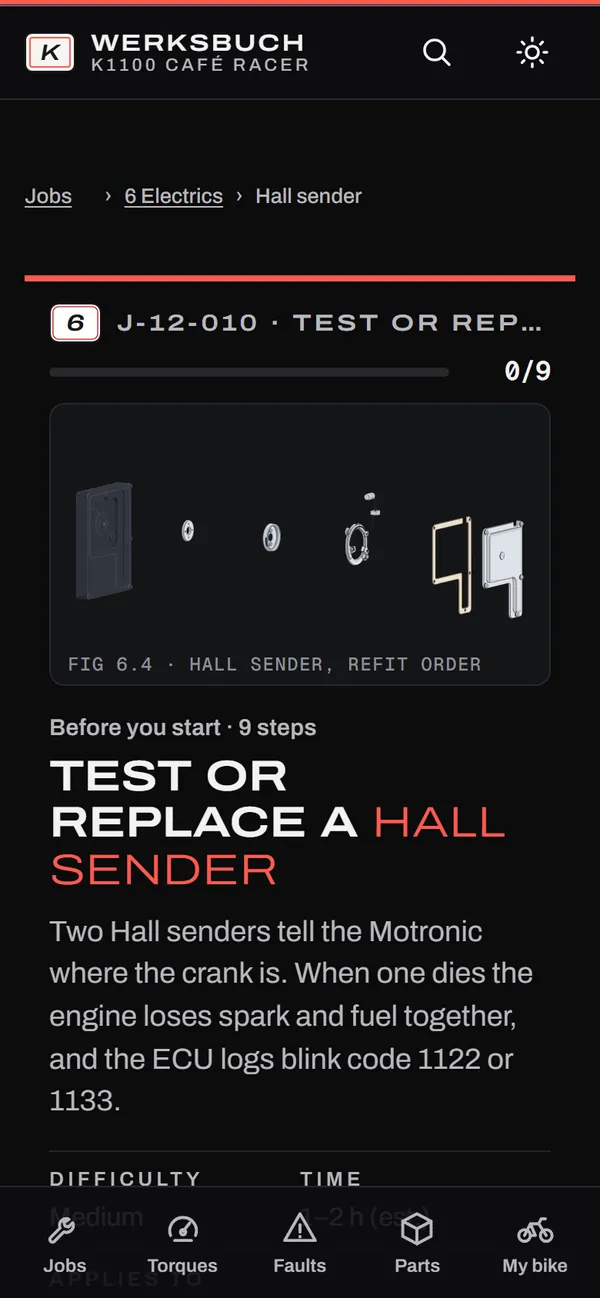
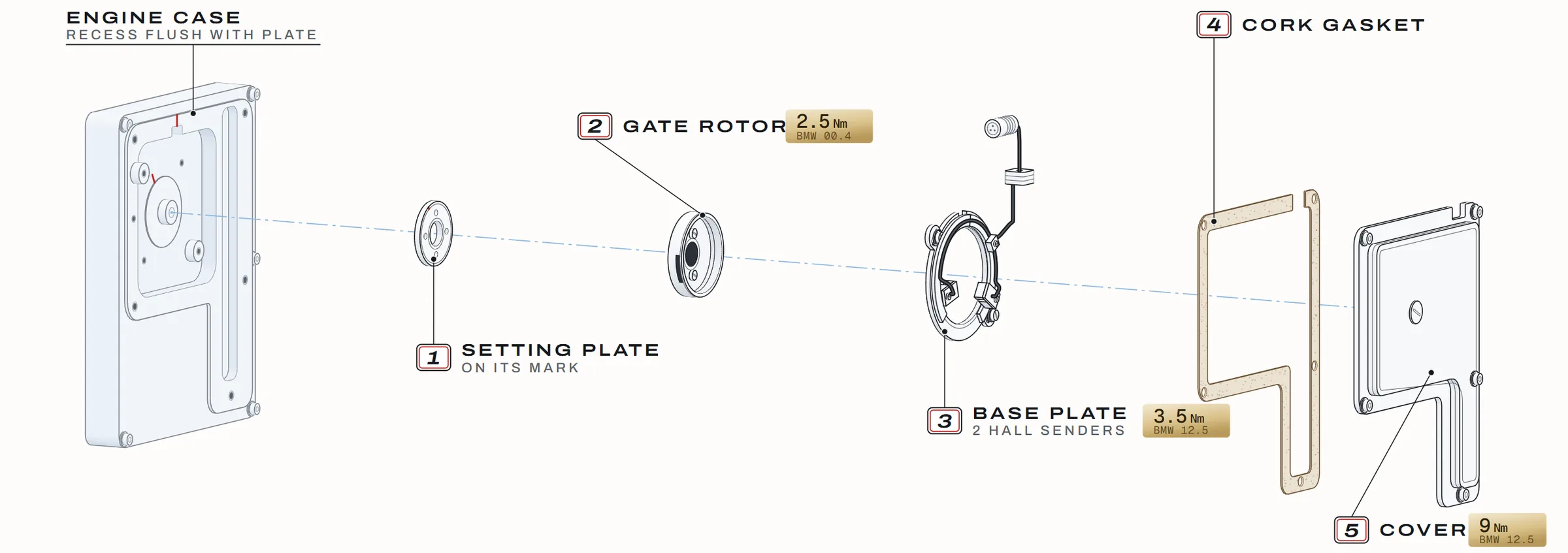
Fig 6.4 · Hall sender, refit order · rendered from the manual's data
115torques, 102 from a factory manual
20chapters, all in the app and the PDF
12circuits traced, to 1993 and 1994 on
11fault chains, 75 yes/no checks
01
What it does
Real screens from the app as it runs today, not mock-ups. Captured 2026-10-30.
A
Wiring by year
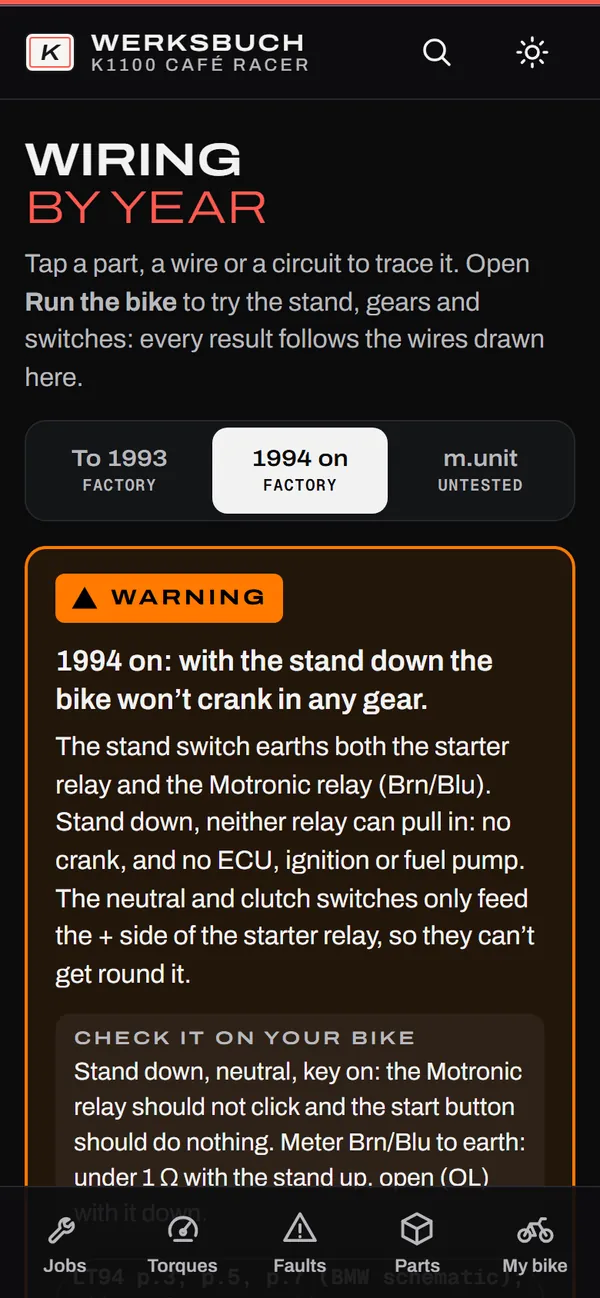
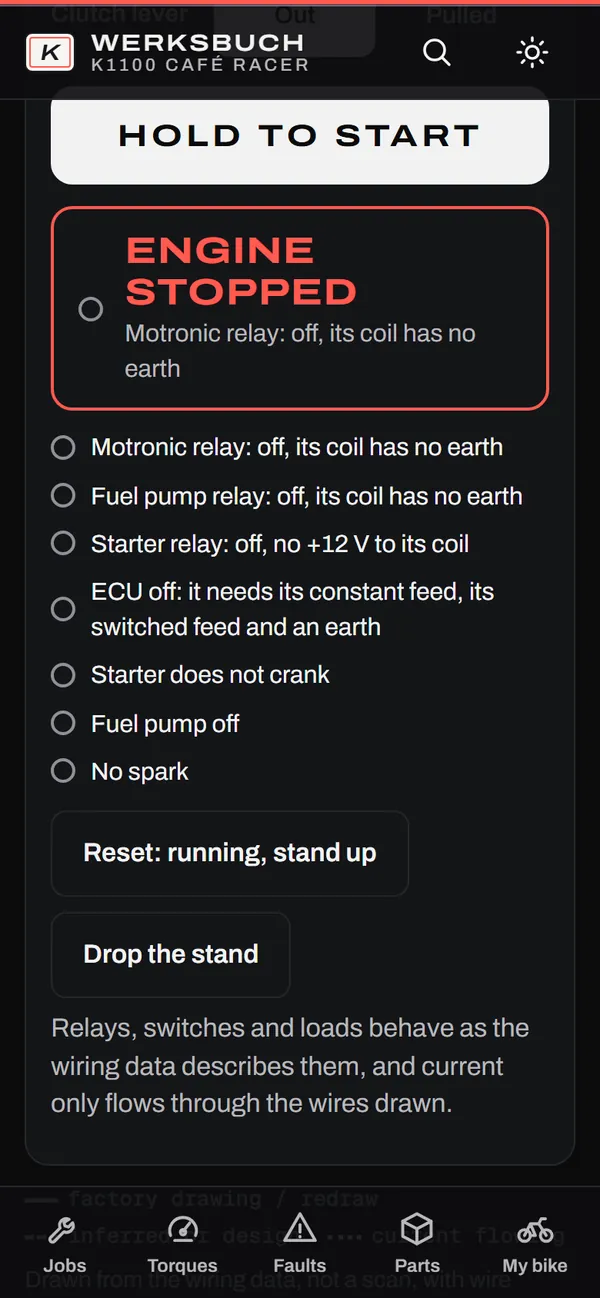
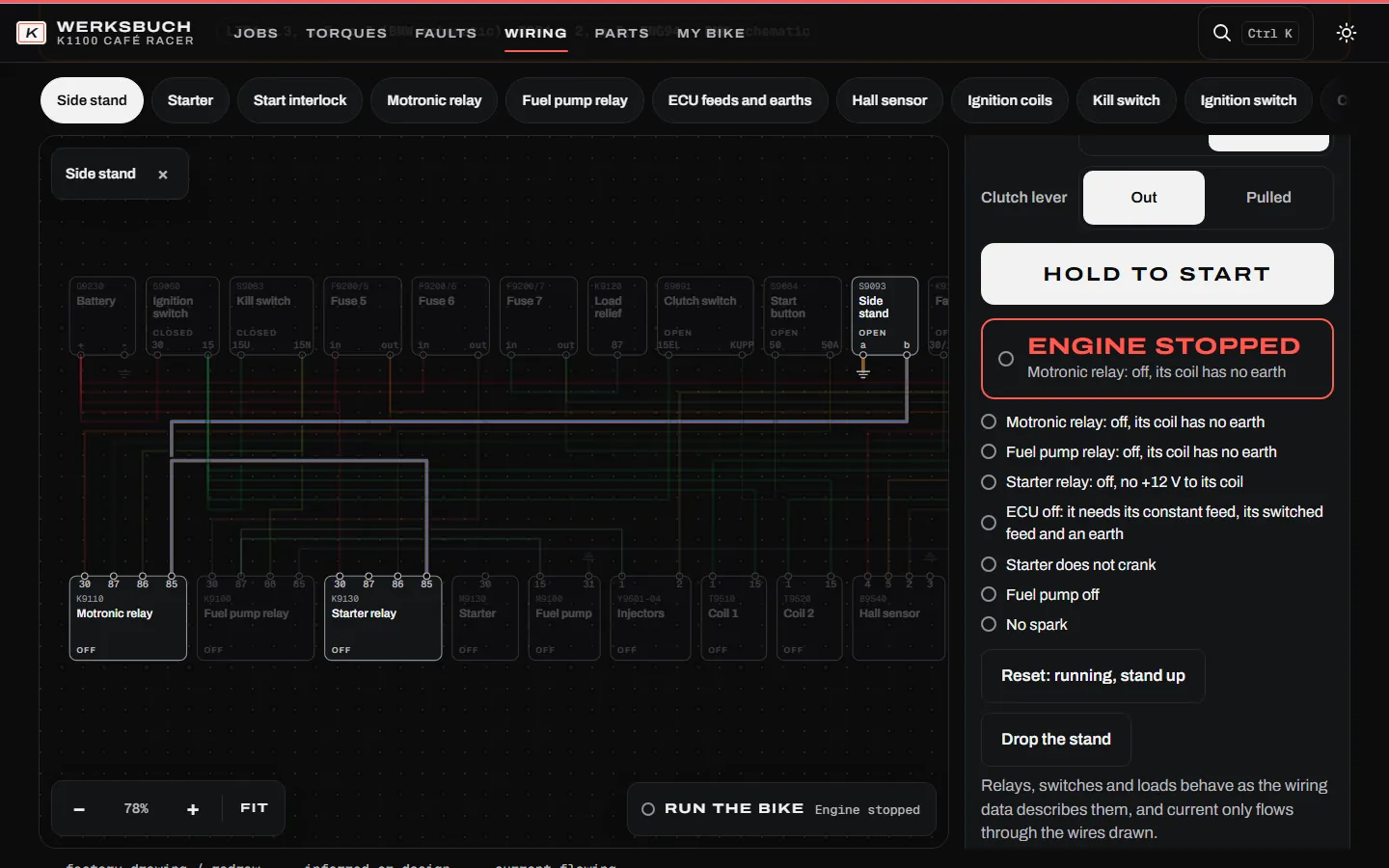
Pick your year and trace any circuit: tap a wire and it lights up end to end, with its colour, size and the page it came from. Then open Run the bike, set the key, gear, clutch and stand, and hold Start.
Drop the stand on a 1994-on bike and the simulator shows why it won't crank: the stand switch takes away the earth for both the starter relay and the Motronic relay.
On a bike to 1993 the same switch sits in the fuel-pump relay feed instead, so it cranks but won't run. The app shows both.
DraftThe wiring is marked "unverified draft" in the app. Check every wire on your own loom with a meter before you cut. The m.unit layout is a design and is labelled untested.
The same app on a laptop: the 1994-on loom with the stand circuit traced and the simulator stopped
B
One step per screen
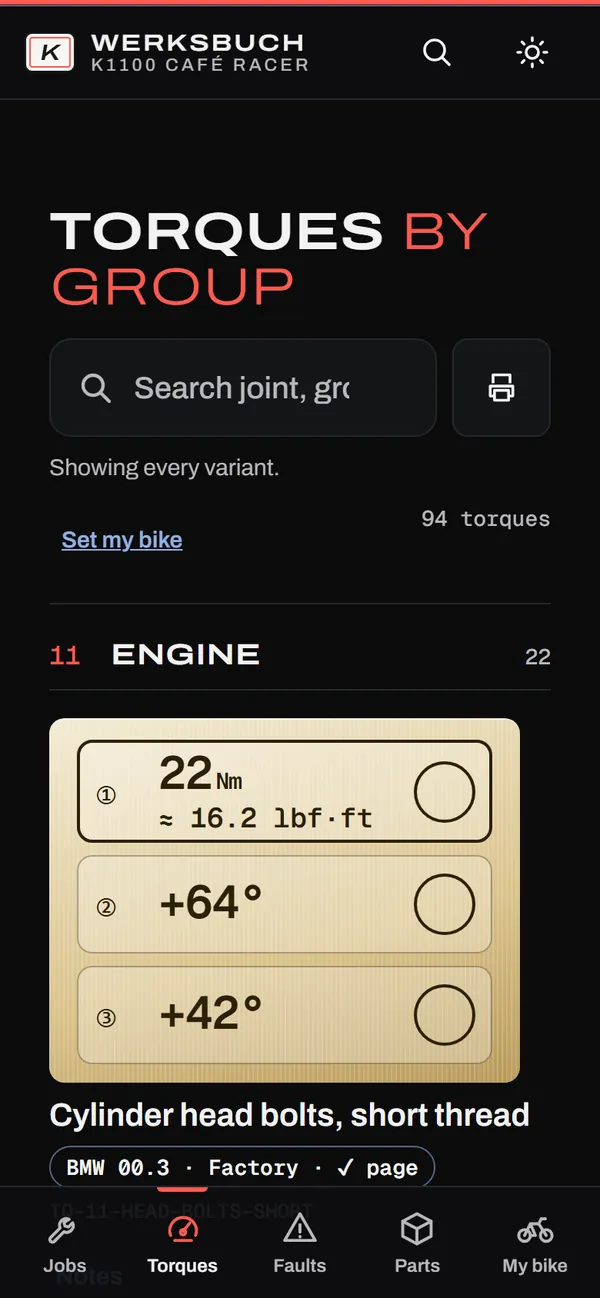
Big type, big buttons, made for greasy gloves. Each step shows its figure and the torque it needs, right where you use it. Swipe to look ahead; only a tap ticks a step.
Multi-stage torques tick off one stage at a time, so you can't lose your place between 140 Nm and the angle.
A build log records what you ticked and torqued, on your device. Export it for your inspector or the next owner.
Close the app mid-job and it reopens on the same step.
TodayStep mode is live for 2 jobs: the Hall sender and the clutch renewal (“Test or replace a Hall sender” and “Renew the clutch”). Every other job reads as a chapter page, with its torques inline. More jobs move into step mode with each update.
C
Torque finder, by My Bike
Set your year and the parts you fitted once. The torque list filters to your bike and stays filtered everywhere in the app.
Search any joint and get the value, the unit and lbf·ft, in one place.
Every value carries its source and verdict. A value nobody publishes shows as missing, never guessed.
Print a bench card of the torques for the job in front of you.
D
Fault finder
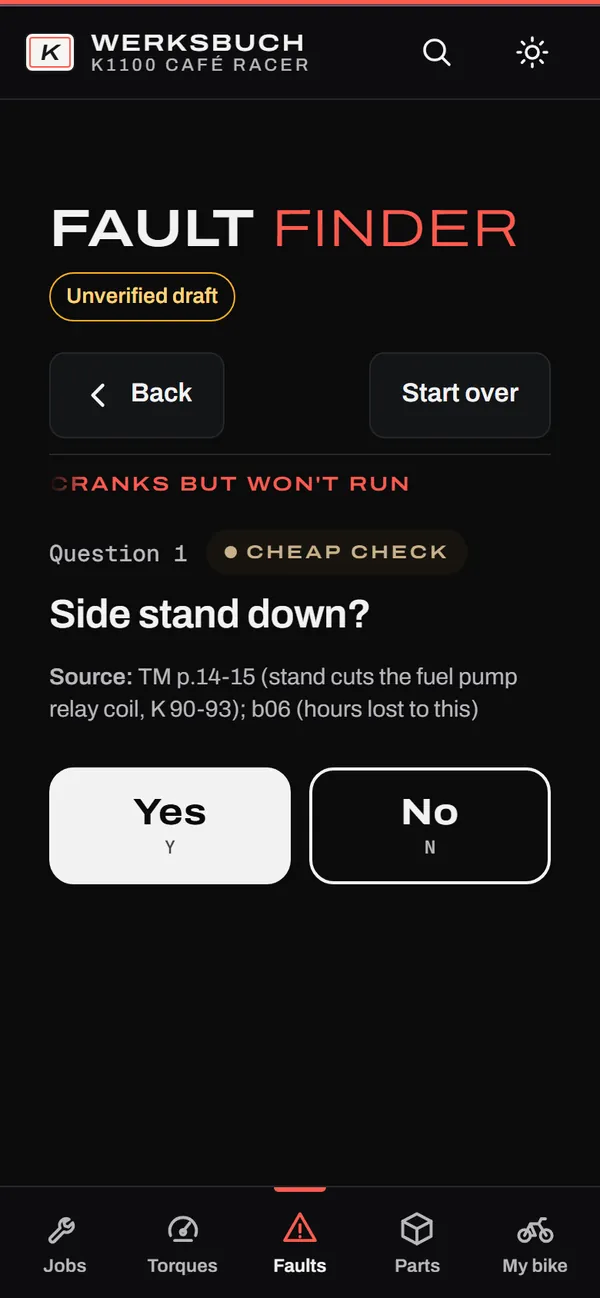
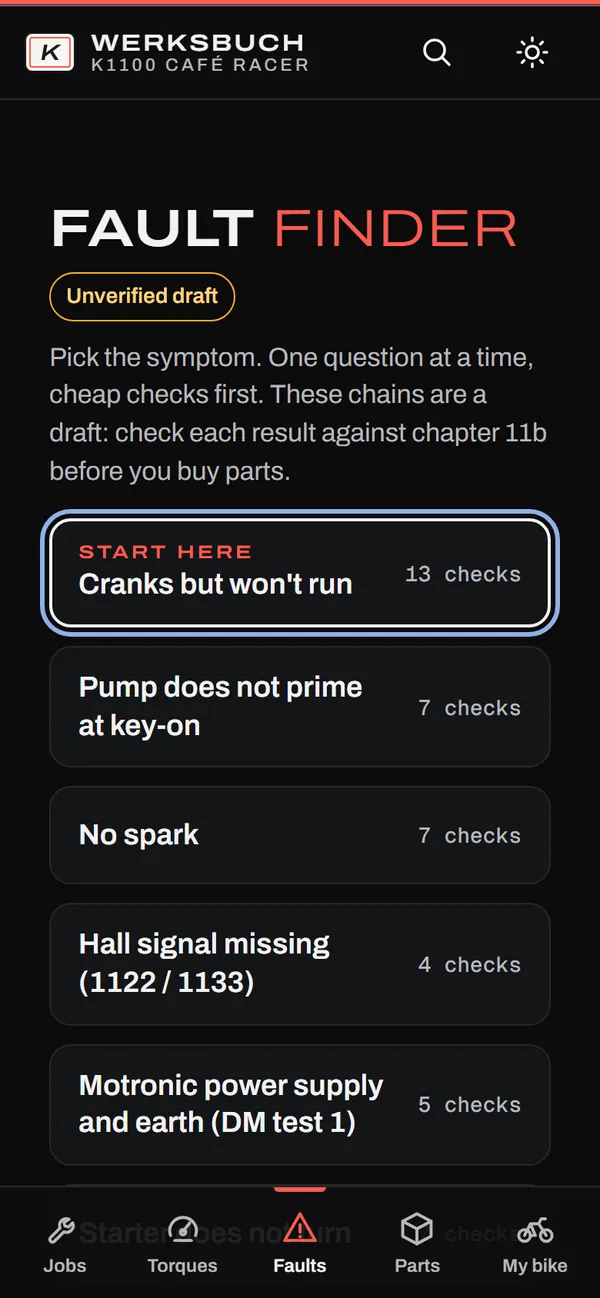
Pick the symptom, answer one question at a time. The cheap checks come first, so the side stand gets checked before you price a new ECU.
11 symptom chains, 75 questions, each with its source.
Ends on a cause and a fix, and links to the chapter that covers it.
DraftThe fault chains are marked "unverified draft" in the app. Check the result against chapter 11b before you buy parts.
E
Works offline
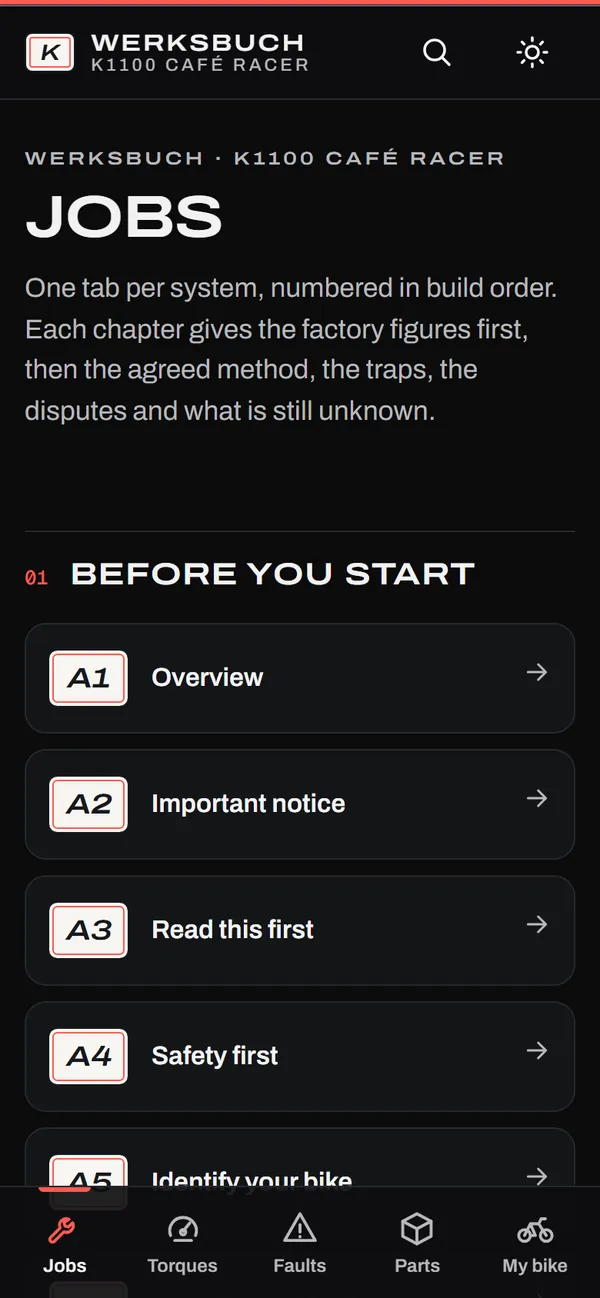
Garages have bad signal. Add the app to your home screen and, after the first visit, every chapter, job, torque, fault and wiring page opens with no connection.
Tested with the network cut: the screen here is the Jobs tab, loaded from the app's offline copy.
Your bike, progress and build log stay on your device. Nothing to sign in to in the garage.
F
And the PDF
The same manual as a print-ready PDF in A4 and Letter, from the same data as the app. Print a job for the bench, or keep the whole book in a binder.
Built from the same data as the app, so the figures and torques match.
Videos are linked with timestamps, never embedded.
Every chapter, in build order
1Donor, budget, teardown
2Engine
3Clutch and gearbox
4Intake, fuel, tuning
5Exhaust and cooling
6Electrics and m.unit
7Frame and subframe
8Rear end: R1100S swap
9Front end: S1000RR forks
9bFront-end alternatives
10Brakes, wheels, controls
10bSeat, tank, tail
10cLights, mirrors, gauges
10dPaint and finish
11First start, shakedown
11bFault finding
11cBreak-in and setup
12Road legality
13Torque and spec sheet
14Tools and part numbers
02
Every torque has a source
Each figure is labelled with where it came from and how far to trust it. Where sources disagree, the factory figure wins and the other is shown, not used.
115 torques · 111 with a page number111 checked against the page image
Verdict
Use it how
Torques
Factory
Stated in a factory repair manual. Use as written.
102
Consensus
Three or more independent builders agree; the manual is silent. Check it fits.
3
Debated
Credible sources disagree. Both sides shown, default marked.
7
Single source
One builder or vendor. A lead to check, not a spec.
0
Maker claim
A parts maker's own figure. Use for that part only.
2
Unresolved
No source answers it. Shown as missing, never guessed.
1
How a torque reads
Clutch housing to output shaftFactory 00.4 · ✓ checked on page image
1140 Nm
2release
350 Nm
4+50°
100 NmKit-maker figure, a 2-valve K100 value. Shown, not used.
2-valve or 4-valve heads, every tip. Most bad K1100 advice is a 2-valve figure repeated.
Videos are cited, never trusted for numbers. A video figure only stands if the manual or several sources agree.
Disagreements are printed. Debated figures show both sides and the default.
03
Figures you can work from
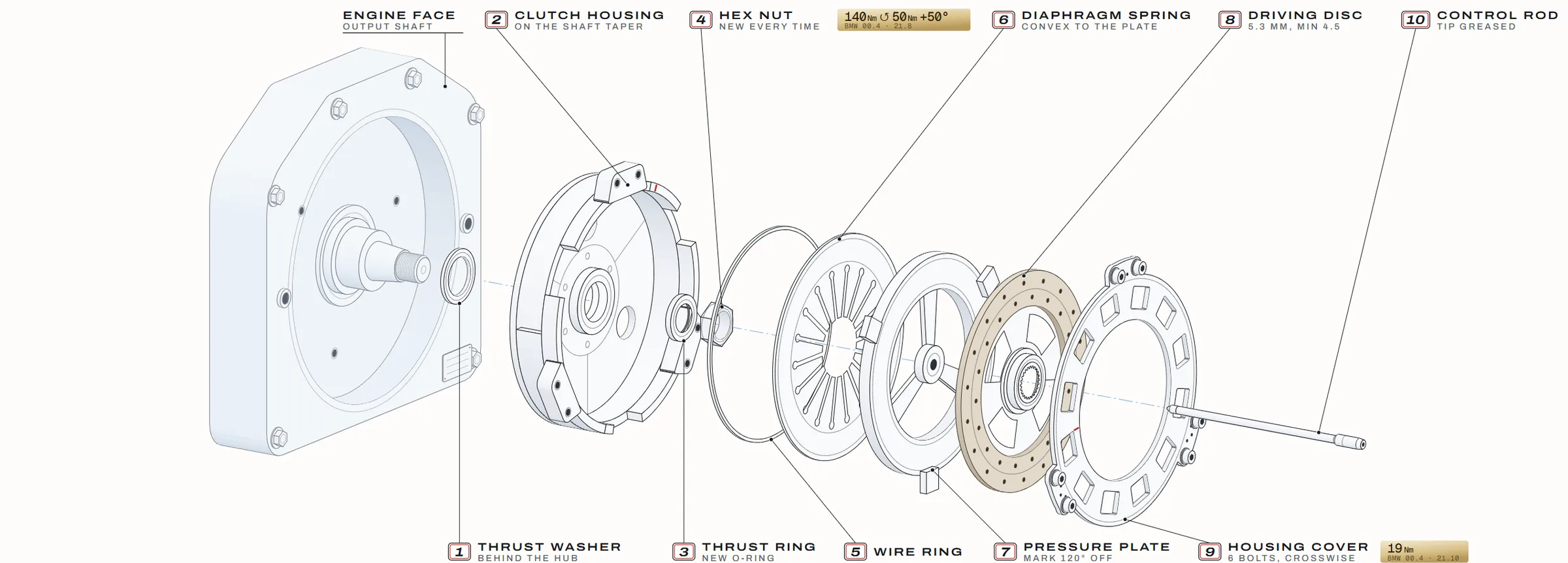
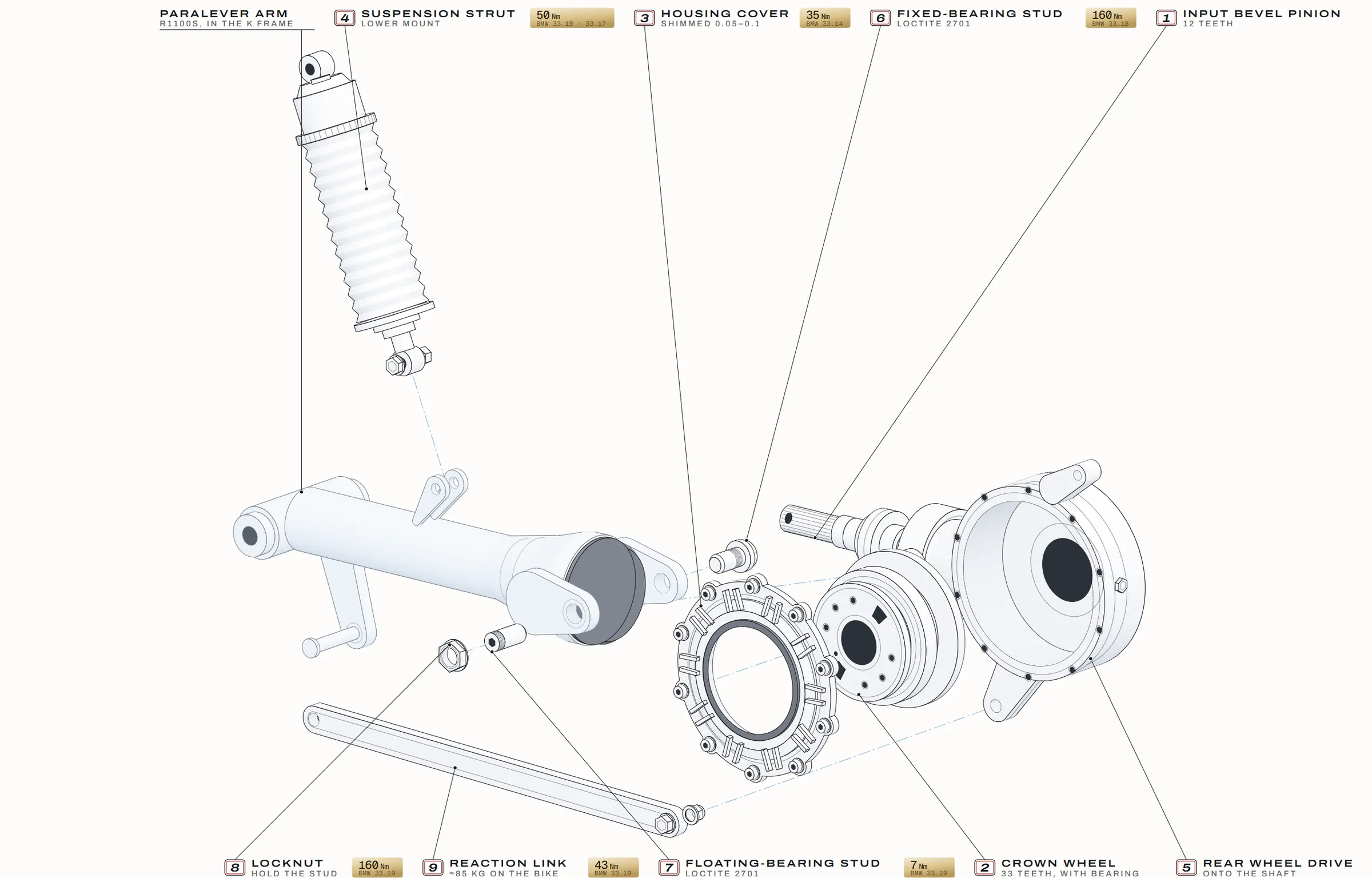
Exploded views drawn for this manual, in the order the parts go back on. In the app they explode and step with the job; in the PDF they print. Tap one to see it full size.
Hall sender, refit orderCh 6 · the job the app runs step by stepClutch, in assembly orderCh 3 · housing nut 140 Nm → release → 50 Nm → +50°R1100S final drive and ParaleverCh 8 · the rear-end swapSide-stand switch, by yearCh 6 · what the stand cuts
The same switch does two different jobs depending on the year. To 1993 it sits in the fuel-pump relay feed: stand down, it cranks but won't run. From 1994 it switches the earth for the Motronic and starter relays: stand down, no crank in any gear. Check your year's wires with a meter.
Diagrams and exploded views, not workshop photos. This early-access edition has no build photographs yet.
04
Founders pricing
Early-access price for the app and the PDF together. It steps up at v1.0, and again after ten public reviews.
Founders window: 21 days or 50 copies, whichever comes first.Closes: 21 days after launch dayCopies: 50 at the Founders price. Checkout shows how many are left.
Recommended
App + PDF
For a bike you are building now.
USD6989
USD 89 from v1.0
The app: install it on your phone, use it offline in the garage
Step mode for the live jobs, wiring explorer, torque finder, fault finder
Shopping list in three price tiers, ticked off as you buy
Building bikes for customers? A Workshop licence (up to 5 users, commercial use) comes with v1.0. You don't need it for your own bike.
30days
30-day refund
Ask within 30 days of purchase and you get your money back, no questions. The licence closes with the refund (new devices at once, any device already unlocked within 30 days). Your rights under your country's consumer law apply as well.
05
Questions
Does it work offline?
Yes. Open it once with a signal and add it to your home screen. After that, every chapter, job, torque, fault and wiring page opens with no connection. We test it by cutting the network and reopening pages.
Your bike settings, step progress and build log are saved on your device. If you clear your browser's site data, they go with it, so export your build log now and then.
Which devices does it run on?
It's a web app, so there's nothing to download from an app store. Open the link in the browser on your phone, tablet or computer and add it to your home screen: Safari on iPhone and iPad, Chrome on Android, or any current browser on Windows, Mac or Linux.
It's laid out for a phone in the garage first; on a laptop you get the whole wiring loom on one screen. real-device testing in progress
What's the PDF?
The same manual, built from the same data as the app, laid out for print in A4 and Letter. Use it for the bench, a binder or reading on a tablet. Personal licence: keep it on your devices and print pages for your own workshop.
Each copy is stamped with the buyer's email. depends on checkout
How do updates arrive?
The app updates itself: the next time you open it with a signal it picks up the new version, and keeps working offline after that. The PDF is re-issued with a new version number, and every correction is listed in a public changelog.
Every 1.x update is free, including the move from early access 0.9.3 to 1.0. update emails depend on checkout
How do I get into the app after I pay?
Your Gumroad receipt has a licence key and the link to k1100.kbikecaferacer.com. Open the link, paste the key once, and the app is yours on that device, offline included. Do the same on your phone and your laptop. The PDF downloads straight from the receipt.
Will it fit my bike?
Written for the 16-valve K-bikes: K1100RS, K1100LT, K1 and K100RS 16v. Set your year and parts in My Bike and the app filters to match. The chapter "Identify your bike" tells you which you have.
Not for the 2-valve K75 or K100. Many of their figures differ; the manual flags them, but it isn't written for them.
Is this a factory manual?
No. It is an independent guide, not made, approved or endorsed by BMW or by any parts maker named in it. It quotes factory figures with their page numbers so you can check them against your own factory manual.
Have you built this exact bike?
Not yet. The manual is compiled from the factory repair manuals, parts makers' published data and documented owner builds, cross-checked where they disagree. That is why every figure shows its source and its verdict. Build photographs come later.
Will it make my bike road-legal?
No. Rules differ by country and state and change often. Chapter 12 is a starting point, not legal advice. Check with your vehicle authority, an approved inspector and your insurer before you cut anything.
Do I need to be a mechanic?
The manual helps you plan and understand the build. Brakes, steering, wheels, suspension, the frame and the fuel system are safety-critical: have that work done or checked by a qualified professional before the bike goes on the road.